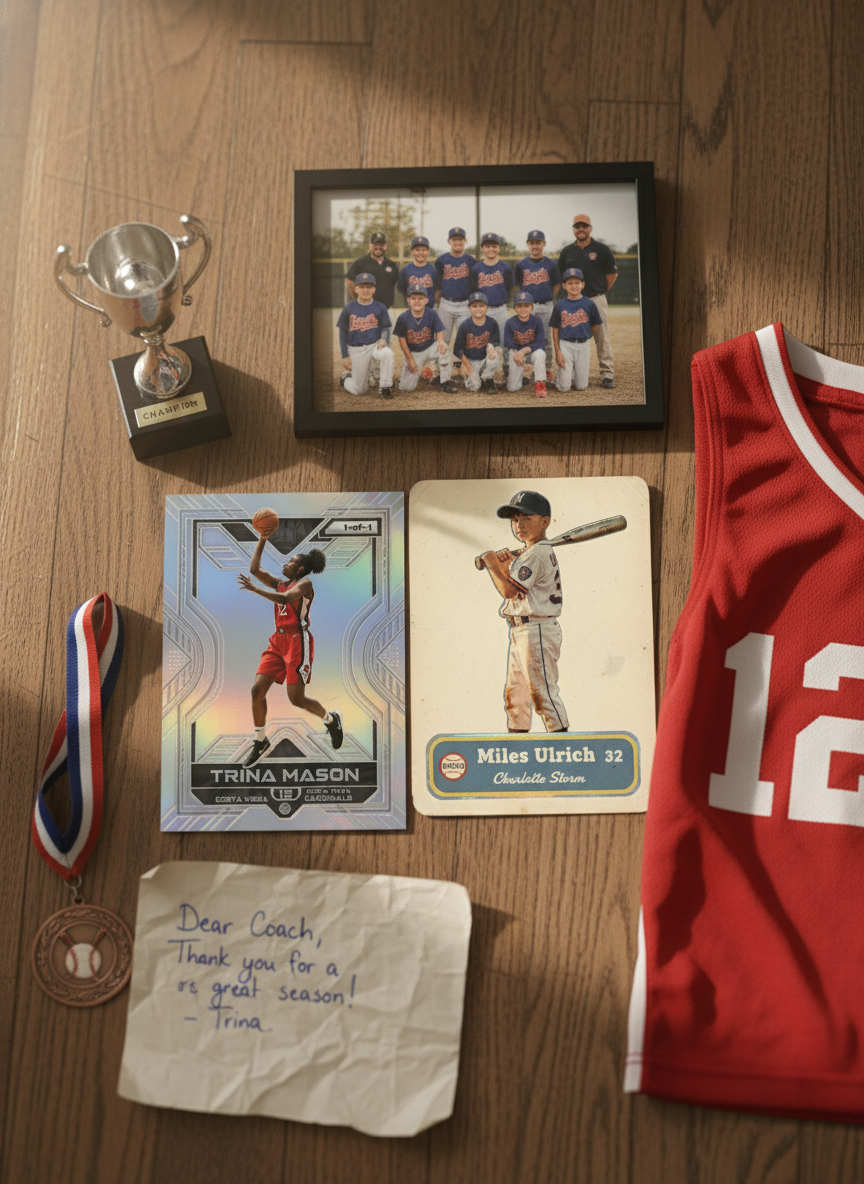

If you've ever tried to make a trading card the old way, you know the trap. You open a design program, hunt for a template, drop your photo into a frame, and end up with... your photo, in a frame. It looks like a photo with a border, not like the glossy collectible you actually pictured.
An AI trading card generator solves a different problem. Instead of sliding your picture into a fixed template, it generates the artwork — the lighting, the background, the finish, the whole look of the card — to match a style you pick. Same photo, a completely different result. And because a computer is doing the design work, you can make one card or forty in the time it used to take to fight with a single template.
Here's what that actually means, what it's good at, and where it isn't magic.
What an AI trading card generator is
At its simplest, it takes three things and hands you back a finished card:
- A photo — your kid mid-swing, a team-photo-day headshot, your buddy who insists he could've gone pro.
- A few details — name, number, team, position.
- A style — the look you want the card to have.
From there, the generator composes a full card: the subject, a designed background, a name plate laid out the way a real sports card would do it, and the finish that matches your chosen style. It takes about a minute.
The key word is generates. A template maker positions your photo. A generator builds new artwork around your subject so the card reads as a designed object, not a cropped snapshot with text on top.
Template maker vs. AI generator
The difference is easiest to see side by side:
| Template maker | AI generator | |
|---|---|---|
| What it does with your photo | Drops it into a fixed frame | Builds new artwork around the subject |
| Backgrounds | The one the template ships with | Generated to fit the style you pick |
| Variety from one photo | One layout | Many completely different looks |
| Design skill needed | Some, to make it look good | None |
| Best for | Quick, plain results | Cards that look studio-made |
Neither is "wrong." But if the goal is a card that actually looks like something a kid would want to trade, the generated artwork is what gets you there.
The range of styles
This is the part people underestimate. Because the art is generated rather than pre-baked, the same photo can become a dozen unrelated cards depending on the style you choose. A few of the directions people reach for:
- Classic and vintage — VINTAGE (an aged, mid-century cardboard look) and ALL-STAR RETRO (a clean 1960s–80s printed-card design)
- Bold and modern — KAPOW! (an explosive starburst), METALLIC (a chrome-and-refractor finish), and GOAT-MODE (dark neon energy)
- Playful — VIDEO GAME (an arcade look) and HERO-MODE (a cartoon superhero version of the subject)
- Roast styles — EPIC-FAIL and ANGER ISSUES, for when the card is a running joke aimed at a friend who's earned it
The move most people make is to generate the same photo in two or three styles and pick the winner. It costs you nothing but a minute, and it's genuinely hard to guess which style a photo will love until you see it.
Why AI makes personalization actually scale
Here's where a generator stops being a novelty and starts being useful. Personalization normally trades off against volume — the more custom something is, the longer each one takes. A generator breaks that trade-off.
Making one card and making a whole roster are basically the same amount of work. That's why the most common real-world use isn't a single card, it's a team set: one card per player, everyone in the same style so the set looks like a real product, plus team collages tying it together. The team-mom job that used to be "coordinate a photographer and a printer" becomes "upload the photos."
If a team gift is where you're headed, our Complete Guide to Youth Sports Gifts walks through the banquet, the binder presentation, and what parents actually keep.
What it's good at — and what it isn't
Being honest about this matters more than hype.
It's good at:
- Turning an ordinary phone photo into something that looks designed
- Matching a chosen style consistently across a whole set
- Getting the layout, name plate, and finish right without you touching a design tool
- Giving you lots of looks from one source photo
It's not:
- A face-swap or a fantasy generator — it works from your real photo, so start with a good one
- Guaranteed perfect on the first try. Sometimes a background or a bit of text lands off; you regenerate or switch styles. Think of it as fast drafts, not one-and-done.
- A stat verifier. Whatever name and number you type is what prints, spelling and all — so proofread.
Knowing the edges is what lets you get great results quickly instead of expecting a mind reader.
Quality tips for better cards
Small choices at the start make a big difference in the output:
- Pick a clear photo where the person is the focus. Action shots and posed portraits both work; busy backgrounds and tiny, far-away subjects don't.
- Favor good light. A bright outdoor frame beats a dim gym shot. The generator is forgiving, but it can't invent detail that isn't there.
- Go vertical when you can. Cards are taller than they are wide, so portrait photos frame most naturally — horizontal still works.
- Try two or three styles before you commit. The style that flatters one photo can flatten another.
- Double-check your text. The name is copied exactly as typed.
For the full walkthrough — upload to download, step by step — see How to Make a Custom Trading Card.
Is it safe for a kids' product?
It's a fair question, because most of these cards are of children. The short version: your photo is used to generate your card, and it isn't kept around as a stored library of kids' faces. You stay in control of what you make and whether you ever share it — a card is private to you unless you choose to send a link or order prints. Treat that as the standard to hold any card tool to.
Try it with one photo
The fastest way to understand a generator is to feed it one picture and watch what comes back. You can make and preview your first card free, then use affordable credit packs only for what you actually make — no subscription.
Try it now: Generate your first card free — upload a photo, add a name and number, pick a style, and see a finished card in about a minute. No design software, nothing to install.
Grab the best photo on your phone, run it through two styles, and you'll see the difference between a photo in a frame and a card someone actually wants to hold.
Related reading: